Document upload guide

Before you apply to become an ACCA student, use this guide to make sure you have the right documents and that they meet our requirements.

This guide explains how to photograph or scan the identity documents you need to upload when applying to become an ACCA student, as well as any qualification documents you may need to confirm your eligibility to study an ACCA qualification or claim exam exemptions.

What's acceptable?

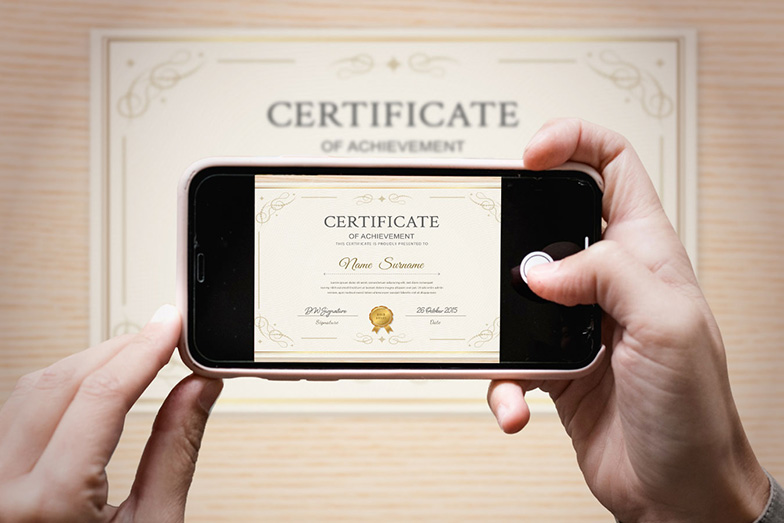
person taking a photo of a certificate on a smart phone; the certificate is clearly framed on screen and all the certificate's text is readable

Upload a clear scan or photograph of the document itself.

Your document should:

  • show only the document you are submitting, with no other documents or objects visible
  • show the full document
  • be clear and easy to read
  • show your name and qualification details
  • include all relevant pages
  • be free from glare, shadows or anything covering the information

File formats

We accept PDF, JPEG/JPG, PNG, TIFF, BMP, GIF, Word and Excel files.

However, for the best chance of a successful upload, we recommend:

  • Photograph: JPEG/JPG
  • Scan: PDF

Using JPEG/JPG for photographs and PDF for scans is more likely to result in a successful upload and fewer issues during processing.

Maximum file size: 15 MB.

How to take a good photo or scan of a document

  1. 01 Show the full document with all four corners visible

    Make sure the entire document is visible in the photo, with all four corners clearly shown. The document should fill most of the frame, with as little of the surrounding surface/background as possible.

  2. 02 Keep the document flat and horizontal

    Place the document on a flat surface and keep it straight, with all edges lying flat and parallel to the frame.

  3. 03 Use good lighting

    Make sure the document is well lit, with no glare or reflections.

  4. 04 Make sure the text is readable

    Check that all text and important information can be clearly read.

What's not acceptable?

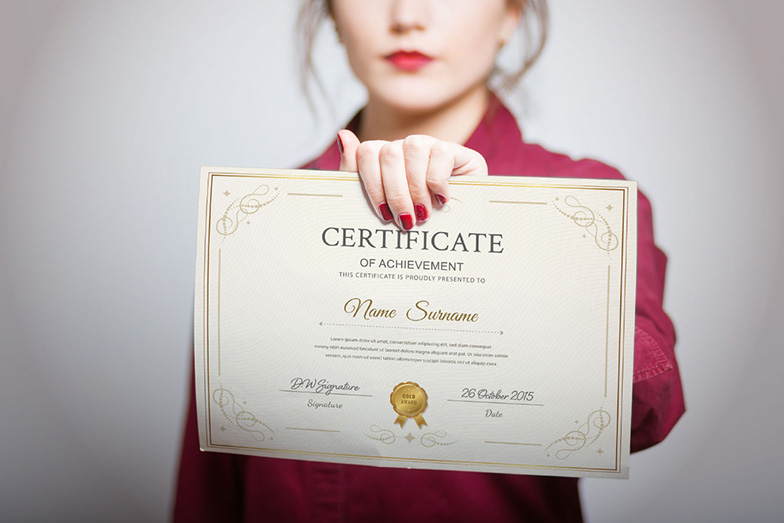
person holding a certificate up; the certificate's text is not clearly visible and the person is visible in the photo

Please do not upload:

  • a selfie
  • a photograph of yourself holding your qualification
  • a photograph of yourself holding your ID
  • a photograph of someone else holding the document
  • photographs where the document is partially covered
  • blurry, dark or unreadable photographs
  • cropped images where important information is missing

Important: We need to see the document itself, not a photograph of you with the document.

Final checklist

  1. 01 Use the correct document

    Make sure you’re uploading the document we’ve asked for.

  2. 02 Show the whole document

    Make sure the entire document is visible, with nothing cropped or covered.

  3. 03 Make sure it’s readable

    All text and information must be clear and easy to read.

  4. 04 Include all relevant pages

    If your document has multiple pages, upload all the relevant pages.

  5. 05 Check your file size and format

    Make sure your file meets the accepted format and size requirements

Ready to apply?

You’ve checked your documents and read the guidance. You’re now ready to upload your documents and complete your application.